
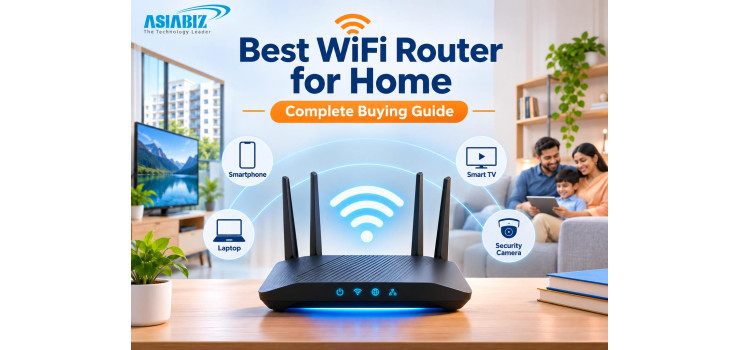
Best WiFi Router for Home in Bangladesh: Complete Buying Guide
A fast internet package does not guarantee fast WiFi in every room. You
might enjoy smooth video calls beside the router but experience buffering in
the bedroom, weak signals behind concrete walls, or disconnected WiFi security
cameras near the gate.
If you are searching for the best WiFi router for home in Bangladesh,
the right choice depends on your broadband speed, home layout, connected
devices, and budget—not simply the number of antennas. This practical guide
covers WiFi 5, WiFi 6, dual-band routers, Gigabit ports, Mesh WiFi, and
suitable models available through Asiabiz.
Quick Answer: Which WiFi Router Is Best for Your Home?
For a small apartment with basic internet use, a reliable dual-band
WiFi 5 router may be sufficient. For faster broadband or many phones, laptops,
smart TVs, and CCTV cameras, consider WiFi 6 with Gigabit ports. For
multi-storey houses and persistent dead zones, consider a properly positioned
Mesh WiFi system or wired access points.
No router guarantees full coverage through every concrete wall. Start
with your actual needs.
WiFi Router Types Explained
Single-Band vs Dual-Band Router
A single-band router generally operates on 2.4GHz. It suits basic
browsing and some smart devices but can become congested in apartment buildings.
A dual-band router adds 5GHz, allowing compatible phones and computers to use a
faster, typically shorter-range connection.
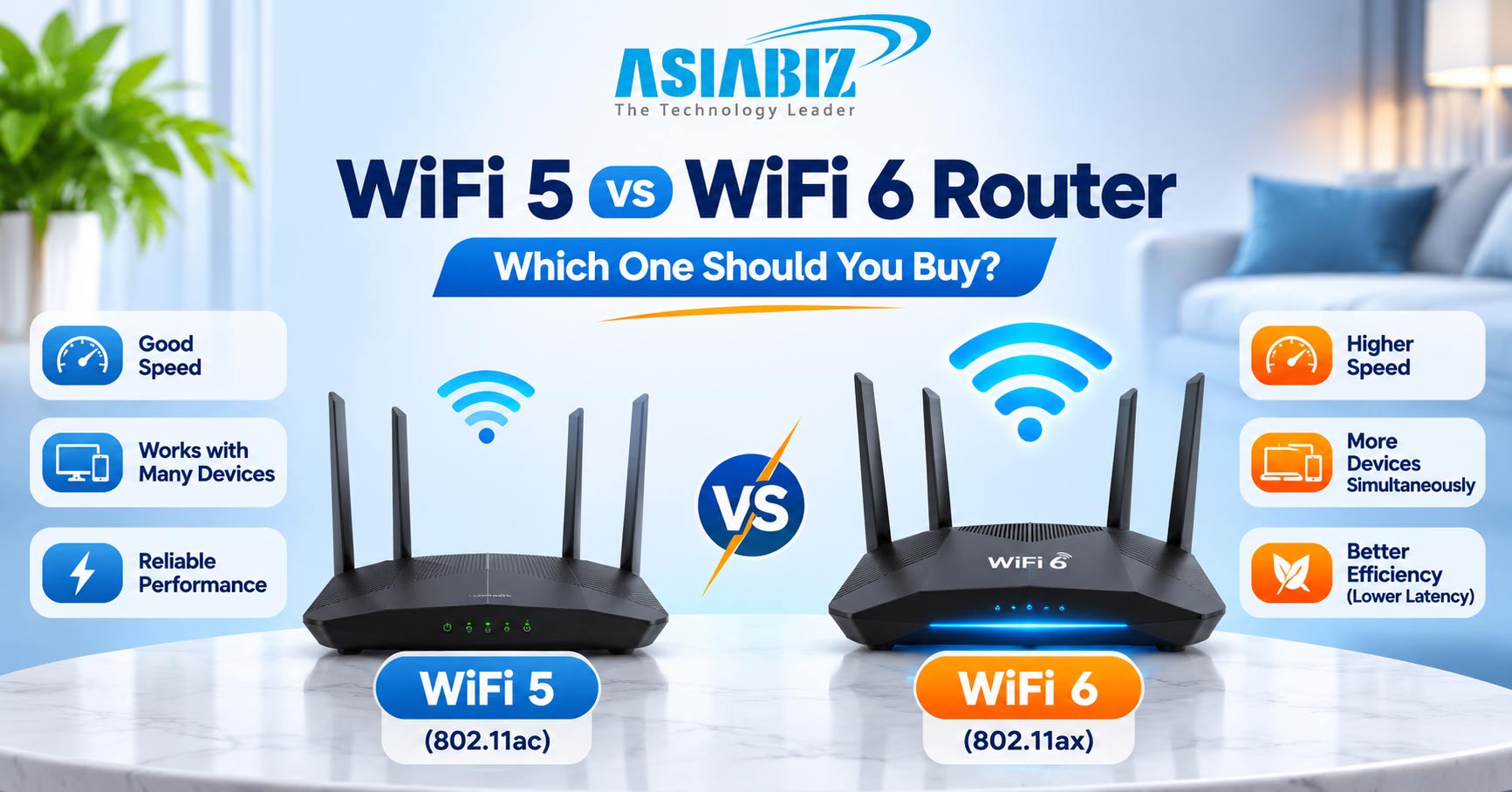
WiFi 5 vs WiFi 6 vs WiFi 7
WiFi 5 (802.11ac) remains useful for everyday streaming and smaller
households. WiFi 6 (802.11ax) improves network efficiency, especially with many
compatible devices. WiFi 7 offers newer technologies and higher potential
throughput but generally costs more and needs compatible clients for its
strongest benefits.
Tip: An AX3000 router does
not mean your ISP provides 3,000Mbps internet. These are combined theoretical
wireless link rates; real speeds are lower and shared among devices.
WiFi Router Buying Comparison
|
Router
type |
Main
advantage |
Consider
for |
|
2.4GHz single-band |
Simple, inexpensive connectivity |
Basic use and selected smart devices |
|
AC1200 dual-band WiFi 5 |
2.4GHz plus faster 5GHz |
Small and medium apartments |
|
AX1500/AX3000 WiFi 6 |
Better multi-device efficiency |
Busy homes and faster plans |
|
Gigabit router |
WAN/LAN connections above 100Mbps |
Broadband plans over 100Mbps and wired devices |
|
Mesh WiFi system |
Multiple coordinated WiFi nodes |
Multi-storey properties and dead zones |
These categories overlap: many
WiFi 6 routers are dual-band and Gigabit-capable.
7 Things to Check Before Buying a Router in Bangladesh
1. Your Internet Package and WAN Port
Check your ISP package first. A router with a 10/100Mbps WAN port
cannot pass a broadband connection above about 100Mbps through that port,
regardless of an AC1200 label. For plans above 100Mbps, prefer at least a
Gigabit WAN port. Gigabit LAN ports are also useful for PCs, NAS devices, and
NVRs.
A 50Mbps household may not need expensive hardware unless coverage or
device capacity is the real problem.
2. 2.4GHz vs 5GHz WiFi Coverage
2.4GHz generally reaches farther and handles some obstacles better, but
can be more crowded. 5GHz usually offers higher nearby throughput with less
reach through thick walls. Some newer routers also support 6GHz, where
permitted and supported.
For a Bangladesh apartment with reinforced-concrete walls, test signal
strength in the farthest bedroom. Do not assume four or six antennas guarantee
better coverage.
3. How Many Devices Use WiFi?
Count smartphones, laptops, TVs, gaming consoles, doorbells, and
cameras. A home with two users browsing casually differs from a family
simultaneously streaming, attending meetings, and recording surveillance
footage.
WiFi 6 technologies such as OFDMA can improve efficiency with
compatible clients. Still, actual capacity depends on router hardware, signal
quality, traffic, and each device's capabilities. Ignore unrealistic promises
of unlimited connected devices.
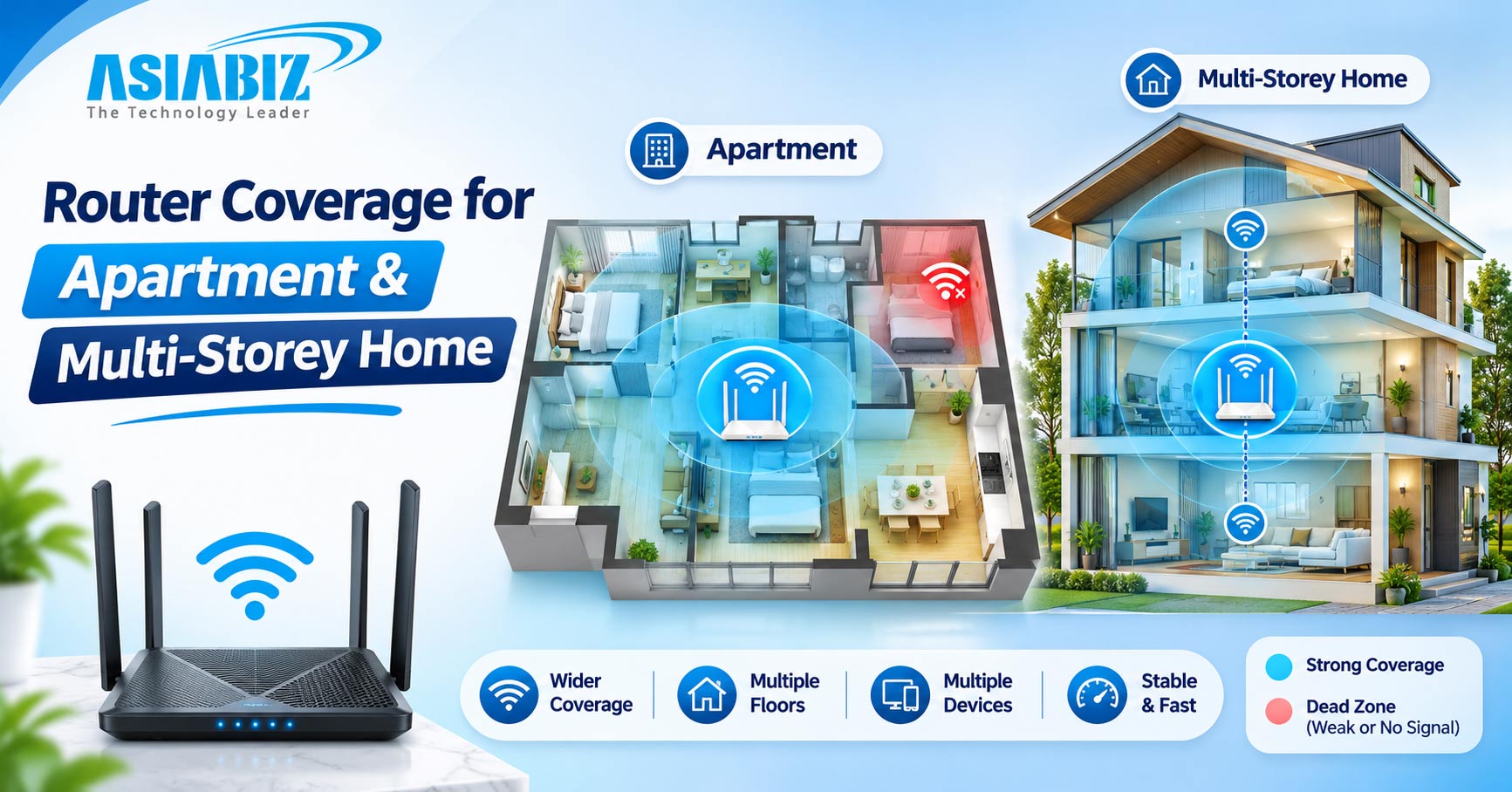
4. Home Size and Mesh WiFi
A central router may serve a compact flat, while a duplex or
multi-storey home may have dead zones. Mesh WiFi uses multiple coordinated
units to extend coverage and simplify roaming. Placement matters: a wireless
Mesh satellite needs a reasonably strong connection to the main unit.
Where possible, Ethernet backhaul or wired access points often provide
a more dependable link between floors. Check whether the system supports wired
backhaul before buying.
5. CCTV Cameras and Smart Home Devices
Many WiFi cameras and smart switches use 2.4GHz, so confirm band
compatibility before setup. Some cameras support 5GHz too; check their exact
specifications. A dual-band router generally supports both, but setup may
require separate network names or temporary configuration changes.
If several cameras send recordings over WiFi to a compatible Wireless
NVR, consider network capacity, router location, and NVR compatibility. A
router alone cannot fix weak coverage at an outdoor gate.
6. Security and Parental Controls
Look for current firmware support, WPA2-AES or WPA3 security,
guest-network options, and parental controls if needed. Set a unique
administrator password, disable remote administration unless necessary, and
install firmware updates from the manufacturer.
Do not choose a router only because its box advertises security
features—check which settings are actually available for your model.
7. Power Backup During Load Shedding
A WiFi router stops when its power supply fails. In Bangladesh, a
suitable Mini UPS can help keep the router and fibre ONU running during load
shedding. Both devices may need backup, and voltage, polarity, current, and
capacity must match their requirements.
Backup power will not restore internet if the ISP's upstream equipment
also loses power.
Which Router Fits Your Home?
Small Apartment or Rented Flat
For a few phones, a TV, and ordinary browsing, a dual-band WiFi 5
router can offer good value. Position it centrally, away from thick walls and
metal cabinets.
Family Home with Streaming and Gaming
Choose a Gigabit dual-band WiFi 6 router if you have many active
devices or plan to upgrade broadband. For gaming, an Ethernet connection to the
console or PC is often more predictable than WiFi.
Duplex or Multi-Storey House
Start with a coverage plan, not the biggest advertised speed number. A
Mesh system or wired access points placed on separate floors may work better
than one powerful router downstairs.
Home with Multiple WiFi Cameras
Prioritize stable 2.4GHz coverage at camera locations, enough network
capacity, and suitable power backup. If cameras are far from the router, add a
properly installed access point or rethink the network layout.
Router Options to Explore at Asiabiz
These are different buying categories, not laboratory-tested rankings.
Asiabiz listings checked in November 2026 showed approximate prices of ৳1,850 for HR12F, ৳2,100 for MR30G, ৳3,350 for HX21, and ৳6,400 for the Halo H50G
two-pack. Prices and availability may change; verify the latest listing before
ordering.
Imou HR12F AC1200: Entry-Level Dual-Band
The Imou HR12F AC1200 offers 2.4GHz and 5GHz, four external antennas,
and Imou device WiFi auto-sync support. Its WAN and LAN ports are 100Mbps, so
it is more suitable for modest broadband plans than connections over 100Mbps.
Mercusys MR30G AC1200: Budget Gigabit Option
The Mercusys MR30G combines WiFi 5 dual-band connectivity with Gigabit
Ethernet ports, beamforming, and MU-MIMO. Consider it when you want a
cost-conscious router without a 100Mbps wired-port bottleneck.
Imou HX21 AX3000: WiFi 6 Upgrade
The Imou HX21 AX3000 is listed in Asiabiz's router and networking
collection, with dual-band WiFi 6 and advertised combined AX3000 wireless
speeds. It is worth comparing for a household with several newer devices. Check
the exact port specifications and current availability before purchase.
Mercusys Halo H50G: Mesh Coverage
The Mercusys Halo H50G AC1900 two-pack offers two Mesh units, dual-band
WiFi 5, and Gigabit ports. It may suit homes with rooms that one router
struggles to reach. Manufacturer coverage estimates are not guarantees through
concrete floors.
Browse the full Router collection at Asiabiz to compare options for
your budget.
5 Quick Setup Tips for Better Home WiFi
Place the router centrally and above floor level, not inside a cabinet.
Test 5GHz near the router and 2.4GHz in farther rooms.
Check router placement before buying an extender.
Update firmware, secure passwords, and use a guest network for
visitors.
Test speed and stability from several rooms at busy evening hours.
Frequently Asked Questions
Q: Which router is best for a 100Mbps internet connection?
A: A quality dual-band
router may be sufficient, but a Gigabit WAN port is preferable if you expect to
upgrade beyond 100Mbps. Check coverage and device load too.
Q: Is WiFi 6 worth buying in Bangladesh?
A: It can be, particularly
for many devices or faster broadband. Older WiFi devices remain compatible,
though they cannot gain every WiFi 6 benefit.
Q: Does a router with more antennas give better range?
A: Not necessarily. Antenna
design, transmit power, placement, building materials, and interference all
affect coverage.
Q: Is Mesh WiFi better than one powerful router?
A: Mesh may provide better
coverage across multiple floors or distant rooms. For a small flat, one
well-positioned router may be enough.
Q: Can I use a WiFi router for CCTV cameras?
A: Yes, if the cameras
support its wireless band and the signal is reliable. For multiple cameras or
wireless NVR recording, verify network capacity and compatibility.
Final Verdict: Which Home WiFi Router Should You Buy?
Choose a dual-band WiFi 5 router for a smaller home and modest internet
package, a Gigabit WiFi 6 router for more demanding households, or Mesh WiFi
for difficult layouts and dead zones. Prioritize stable coverage, correct
ports, security, and backup power over headline Mbps figures.
Find suitable routers, networking equipment, and WiFi camera accessories at Asiabiz Technology.


Comments
There are no comments for this Article.