
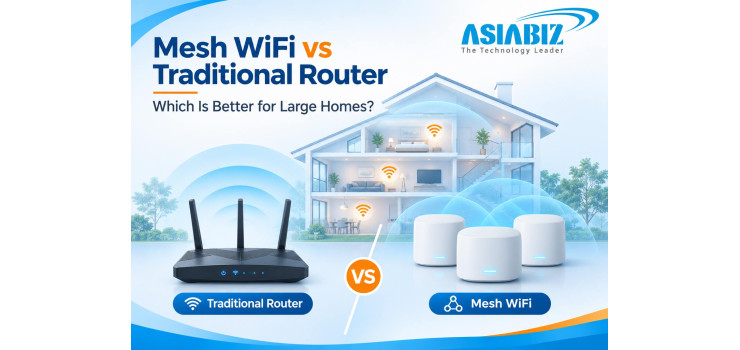
Mesh WiFi vs Traditional Router: Which Is Better for Large Homes in Bangladesh?
Does your WiFi work perfectly beside the router but disappear in an
upstairs bedroom, rooftop corner, or room behind thick concrete walls? This is
common in larger Bangladeshi homes.
If you are comparing Mesh WiFi vs Traditional Router, the best choice
depends on the layout of your property—not simply the advertised Mbps or number
of antennas. Compare coverage, speed, costs, CCTV connections, and Asiabiz
routers.
Quick Answer: Is Mesh WiFi Better Than a Normal Router?
Choose a traditional router if one centrally positioned device reliably
covers your apartment and connected devices. Choose Mesh WiFi if your large
flat, duplex, or multi-storey house has weak-signal rooms and needs multiple
access points with coordinated roaming.
Mesh primarily improves coverage. It does not automatically increase
your internet package speed, fix weak ISP service, or guarantee flawless
connections through concrete floors.
What Is a Traditional WiFi Router?
A traditional wireless router connects to your internet service and
broadcasts WiFi from one main location. Phones, laptops, TVs, and cameras
connect to that device.
Advantages of a Single Router
Usually costs less and requires fewer powered devices.
Easy to maintain in a small or medium apartment.
Can provide excellent speeds close to the router.
Gigabit ports can support wired computers or NVRs.
Limitations
A router in one corner can leave distant rooms without reliable signal.
Antennas cannot guarantee upstairs coverage. Adding an ordinary extender may
introduce a separate network or reduced throughput, depending on the setup.
What Is a Mesh WiFi System?
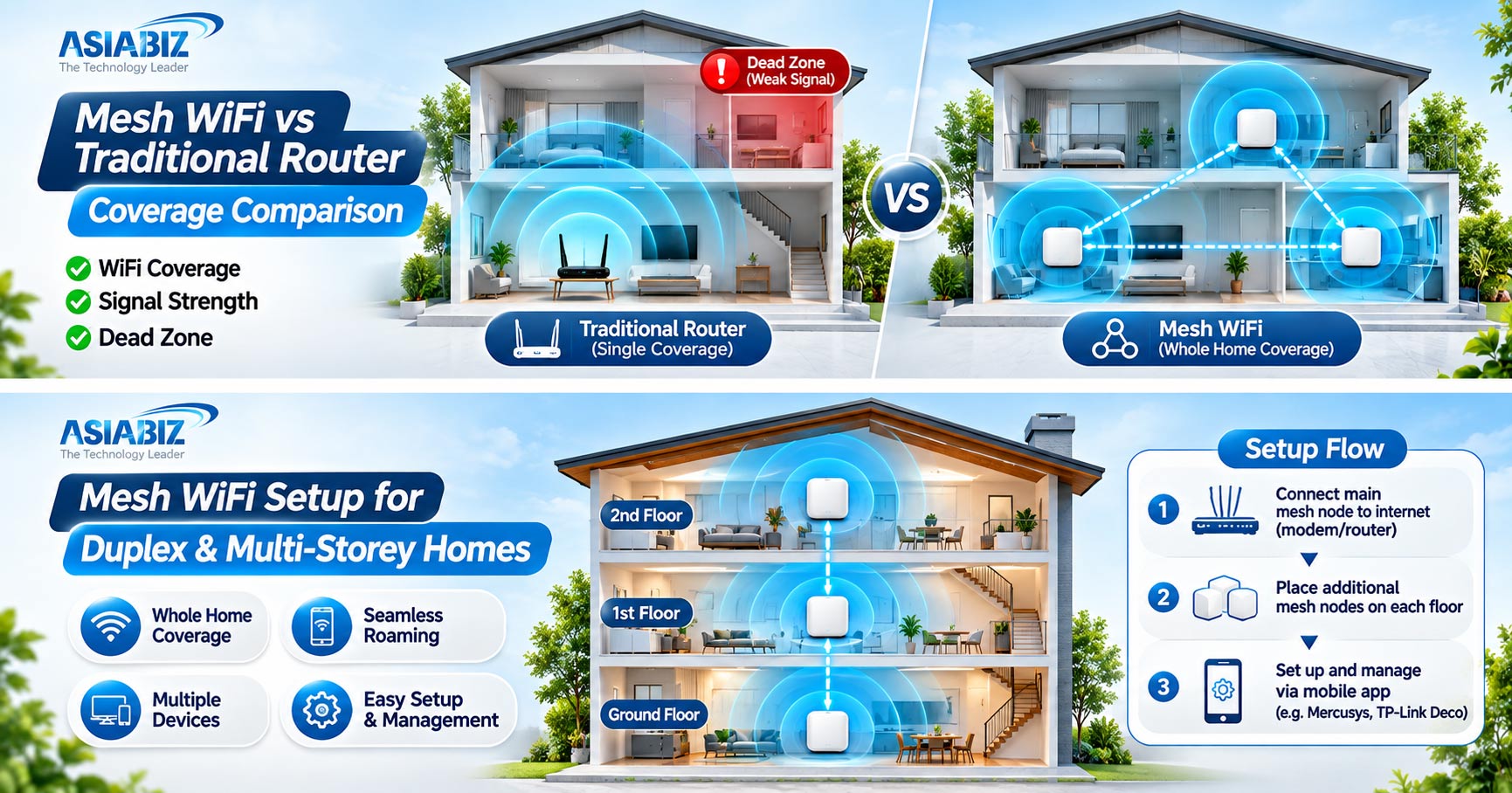
A Mesh WiFi system uses two or more coordinated units, often called
nodes, to spread wireless coverage around a home. One main node connects to the
ISP router or modem, while satellite nodes connect through WiFi or Ethernet.
Nodes usually share one WiFi name, allowing supported devices to roam
between them.
Main Benefits of Mesh WiFi
Expands coverage into distant rooms or different floors.
Uses one coordinated network with simpler management.
Allows additional compatible nodes if coverage is insufficient.
May provide more stable connections where one router is too far away.
Mesh is not automatically faster than one well-positioned router.
Mesh WiFi vs Traditional Router: Key Differences
|
Feature |
Traditional
Router |
Mesh
WiFi System |
|
Coverage |
One main coverage area |
Distributed across multiple nodes |
|
Ideal property |
Small or medium flat |
Large flat, duplex, multiple floors |
|
Roaming |
One access point |
Coordinated roaming between nodes |
|
Setup |
Usually simpler |
Requires planning node positions |
|
Initial cost |
Usually lower |
Usually higher for multiple units |
|
Expansion |
Extenders or extra access points |
Compatible mesh nodes |
|
Backhaul |
Not applicable to a single unit |
Wireless or supported Ethernet links |
|
CCTV suitability |
Good where signal reaches cameras |
Useful for distant supported WiFi cameras |
Important: Mesh describes
how access points work together; WiFi 5, WiFi 6, and WiFi 7 describe wireless
technology generations. Both traditional and mesh products can use different
WiFi generations.
6 Factors That Matter Before Choosing
1. Coverage Across Concrete Walls and Floors
Reinforced concrete, thick brick walls, metal doors, and staircases
weaken WiFi signals. A traditional router may cover one floor well but struggle
beyond it.
With Mesh, place additional nodes where they can still receive a strong
connection—not inside the dead zone itself. An upstairs node can help more than
an expensive downstairs router.
2. Speed and Ethernet Backhaul
A Mesh satellite needs a connection to the main node, called backhaul.
Wireless backhaul shares available radio capacity and can reduce speeds when
the connection between nodes is weak or congested.
Ethernet backhaul uses network cable between compatible nodes, leaving
more wireless capacity for phones, TVs, and cameras. For a house already wired
with CAT6 cable, this can be the strongest option. Confirm support on the exact
mesh model.
One router may still provide higher nearby speeds. Test performance
instead of trusting AC1900 or AX3000 labels.
3. Moving Around the Home
In a coordinated Mesh system, phones can move between nodes while
generally keeping the same WiFi name. This helps when moving between floors.
However, roaming is not guaranteed to be seamless: your phone's
capabilities, signal quality, and the mesh implementation matter. Stationary
cameras may remain connected to a distant node until they reconnect.
4. Installation and Maintenance
One router is simpler: connect the WAN cable, configure WiFi, and test
coverage. Mesh adds node placement, power sockets, possible Ethernet cabling,
and management through the manufacturer's app.
Update firmware, secure passwords, and avoid metal cabinets. Mesh
families are not automatically interchangeable.
5. Price and Running Cost in Bangladesh
A traditional router normally costs less than a two- or three-node Mesh
kit. Mesh also needs electricity for every active unit. Add the cost of network
cables, installation, and UPS backup where required.
Compare the actual coverage and updated Asiabiz prices.
6. WiFi CCTV Cameras and Smart Devices
Many indoor and outdoor WiFi CCTV cameras support 2.4GHz only. Mesh
systems may broadcast both 2.4GHz and 5GHz under one network name, so pairing
some cameras can require an IoT network or manufacturer-recommended settings.
For wireless NVR recording, check camera signal and compatibility.
Consider wired PoE for critical surveillance.
Which Setup Is Best for Different Homes in Bangladesh?
Small Apartment or Rented Flat
A centrally placed dual-band traditional router is often sufficient if
all rooms have a stable signal. First improve placement and check interference.
Large Apartment with Several Bedrooms
If bedrooms or a balcony remain weak after proper placement, a two-node
Mesh system may help. Put the second node between the main router and the
weak-signal rooms.
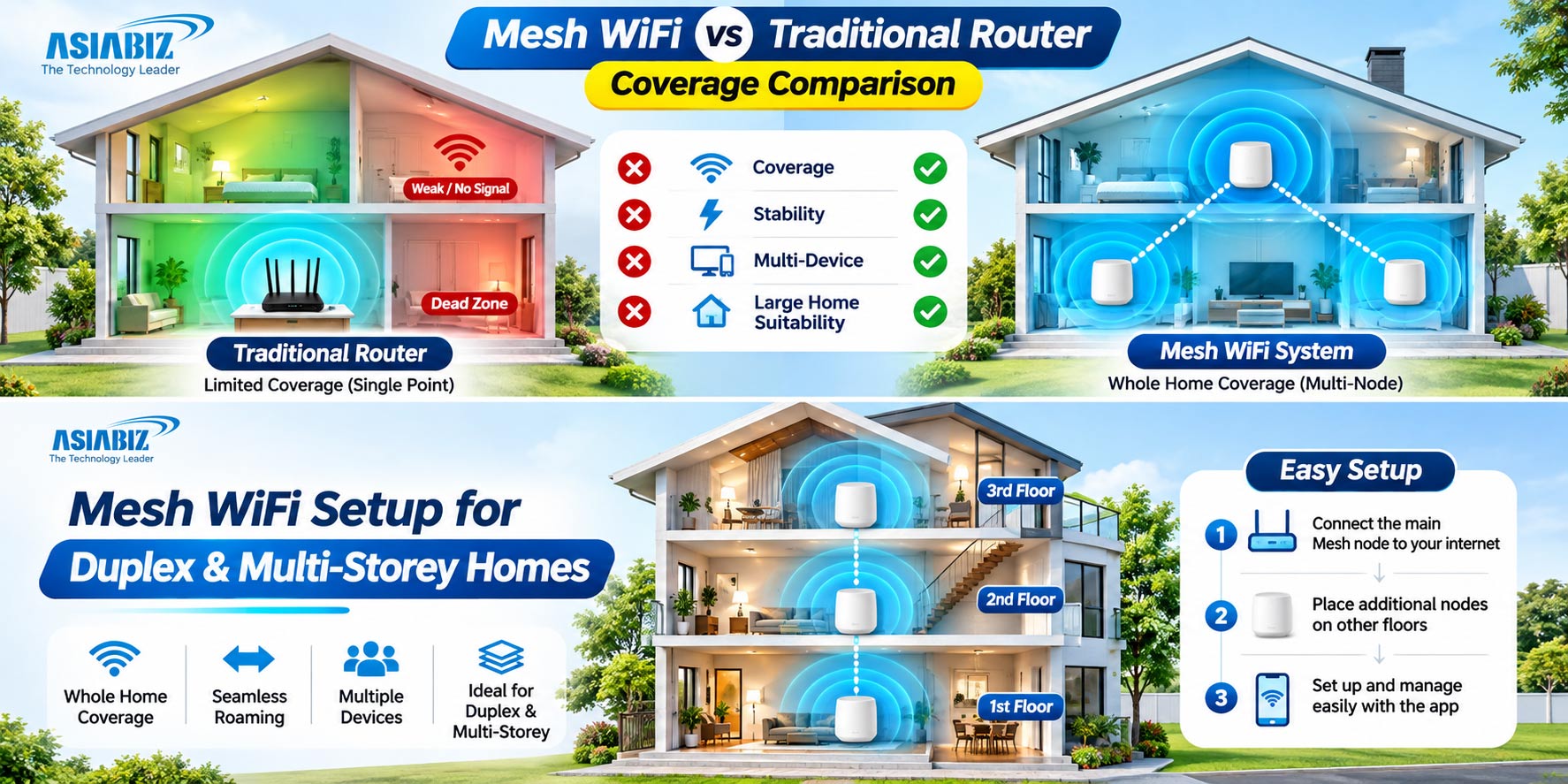
Duplex or Multi-Storey House
Mesh becomes attractive when family members use devices on different
floors. Consider a node on each necessary floor, but start with a coverage
test. Ethernet backhaul between floors is particularly useful where concrete
weakens wireless links.
Large Home with CCTV and Smart Home Devices
Plan camera positions first. A Mesh system can extend WiFi toward a
gate or upstairs corridor, but outdoor cameras still need proper weather
protection, power, and reliable signal. Check camera and NVR compatibility.
Router Options to Compare at Asiabiz
These examples are not laboratory-tested rankings. Confirm availability
and pricing.
Mercusys MR30G AC1200: Traditional Gigabit Router
The Mercusys MR30G is a dual-band WiFi 5 router with Gigabit WAN/LAN
connections, four external antennas, and beamforming. Suitable when one router
covers your flat.
Imou HR12F AC1200: Entry-Level Traditional Router
The Imou HR12F offers 2.4GHz and 5GHz WiFi, four antennas, and Imou
device WiFi auto-sync. Its WAN and LAN ports are limited to 100Mbps, relevant
for broadband above 100Mbps.
Mercusys Halo H50G AC1900: Two-Node Mesh
The Mercusys Halo H50G 2-Pack includes two coordinated WiFi 5 units,
with three Gigabit ports per unit. Its advertised coverage is up to
approximately 4,000 square feet under suitable conditions; actual coverage
varies.
TP-Link Deco S7 AC1900: Expandable Mesh Alternative
The TP-Link Deco S7 2-Pack supports dual-band WiFi 5, Gigabit ports,
and optional Ethernet backhaul. Consider it for larger homes and compatible
Deco expansion.
Browse more in the Asiabiz Router Collection.
How to Position Mesh Nodes for Better Coverage
Place the main node centrally, near the internet connection if
practical.
Position a satellite halfway toward the weak area, not inside a room
with no signal.
Avoid large metal obstacles and keep nodes out in the open.
Use wired backhaul between floors when supported and practical.
Test bedroom, stairwell, gate, and CCTV locations during busy hours.
If a camera refuses to pair, check 2.4GHz compatibility and relevant
IoT settings.
Frequently Asked Questions
Q: Is Mesh WiFi faster than a traditional router?
A: Not necessarily. Mesh
generally improves coverage. Actual speed depends on internet service, router
capability, signal strength, and wired versus wireless backhaul.
Q: Does Mesh WiFi work through concrete walls?
A: Signals still weaken
through concrete. Additional well-placed nodes or Ethernet backhaul can help
overcome poor coverage between floors.
Q: Can I use Mesh WiFi with my existing ISP router?
A: Usually, yes, using
supported router or access-point modes. Configure the system correctly to avoid
problems such as unnecessary double NAT.
Q: Is a two-pack Mesh system enough for a three-storey house?
A: It depends on the floor
plan, concrete construction, and node placement. Three floors may require more
nodes or wired connections; test before expanding.
Q: Is Mesh WiFi suitable for CCTV cameras?
A: Yes, when compatible
cameras receive a stable signal. Some 2.4GHz-only cameras require special
pairing settings, and not all devices roam smoothly.
Q: Can different Mesh brands work together?
A: Do not assume so. Check
family compatibility; identical WiFi names do not create a mesh.
Final Verdict: Mesh WiFi or Traditional Router?
Choose a traditional router for smaller homes with reliable coverage.
Choose Mesh WiFi for large apartments, duplexes, and multi-storey properties
where dead zones persist and coordinated nodes can improve connectivity.
For demanding setups, especially multiple CCTV cameras, consider Mesh with Ethernet backhaul or wired access points. Compare practical solutions at Asiabiz Technology based on your home's layout, not a coverage number printed on the box.


Comments
There are no comments for this Article.