
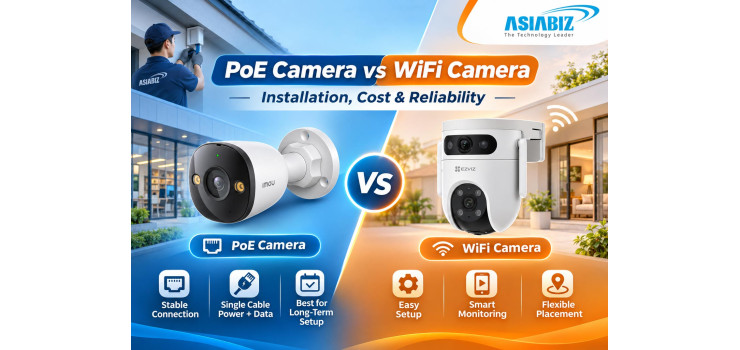
PoE Camera vs WiFi Camera: Installation, Cost & Reliability in Bangladesh
A WiFi camera may be enough for a Dhaka apartment,
but monitoring a gate, shop counter, and stairwell requires different planning.
If internet or power fails, will the cameras continue recording?
That leads to a common buying question: PoE camera
vs WiFi camera—which is better in Bangladesh? Both offer smartphone monitoring,
but differ in installation, maintenance, and reliability.
This guide compares both systems for Bangladeshi buyers.
Quick Answer: Should You Buy PoE or WiFi?
Choose PoE cameras for a permanent, multi-camera
system where stable connections and centralized power are important. Choose
WiFi cameras for simpler installation, flexible placement, and one or two
monitoring points with strong wireless coverage.
Neither connection method guarantees better image
quality. A camera's sensor, lens, lighting, resolution, and recording settings
determine how useful its footage will be.
What Is a PoE Security Camera?
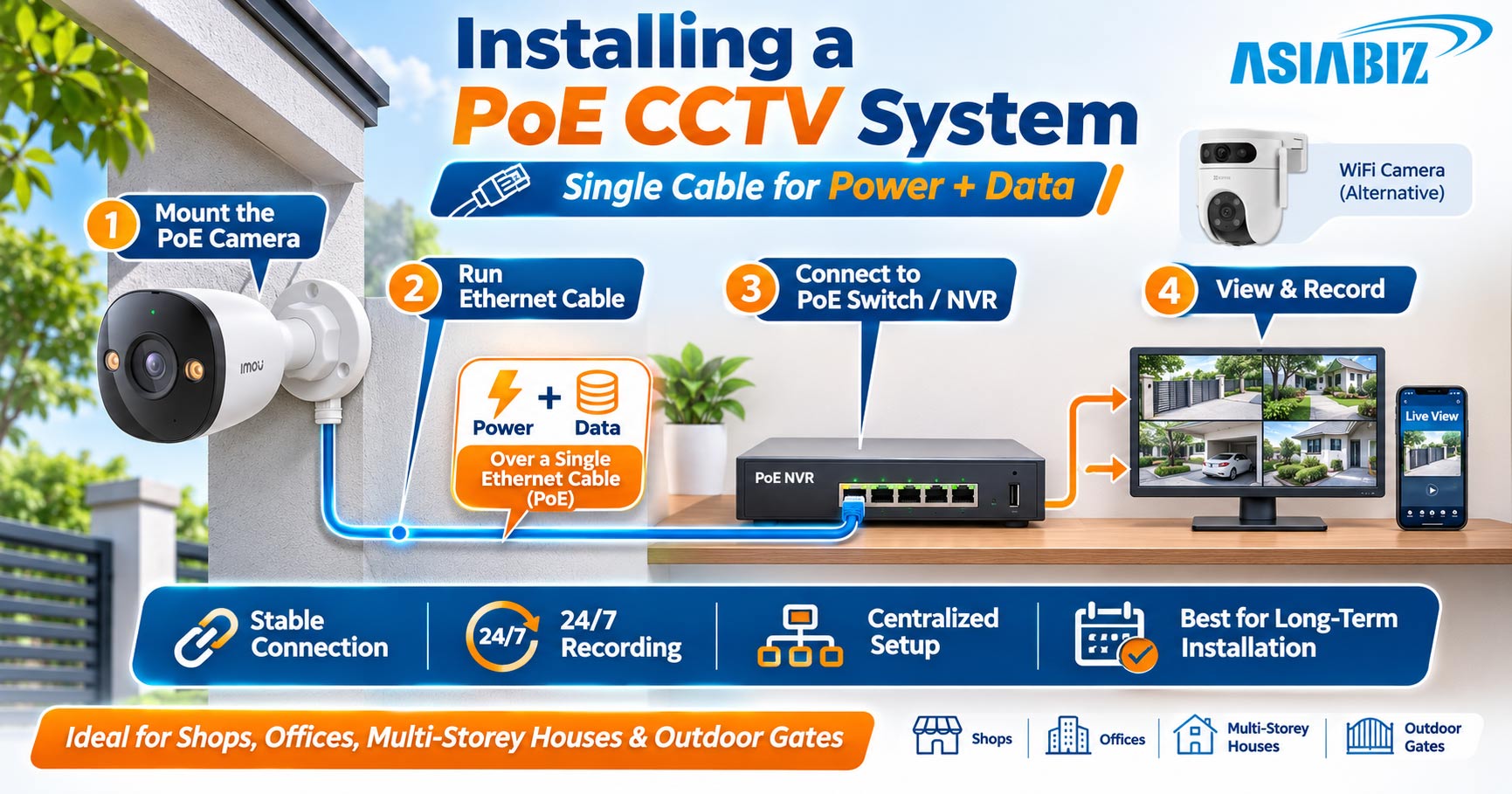
PoE stands for Power over Ethernet. A compatible
PoE IP camera receives both network data and electrical power through one
Ethernet cable connected to a PoE switch, PoE injector, or PoE-enabled NVR.
For example, a gate camera can connect to an indoor
PoE switch and record to a compatible NVR.
Advantages of PoE Cameras
Stable wired network connection without dependence
on WiFi signal strength.
One network cable carries power and video data.
Convenient centralized power backup when the PoE
equipment and recorder use a UPS.
Well suited to permanent systems with multiple
cameras.
Can record locally without internet when the camera
and recorder support it.
Limitations of PoE Cameras
Installation requires Ethernet cables, suitable
routing, and a compatible power source. Moving a mounted camera later may
involve running another cable. Outdoor wiring also needs weather protection.
What Is a WiFi Security Camera?
A WiFi security camera is a network camera that
communicates through a wireless router or access point. Models may support
alerts, audio, and microSD recording.
WiFi does not mean completely cable-free. Most
plug-in WiFi cameras still need a power adapter and nearby electrical socket.
Battery models differ.
Advantages of WiFi Cameras
Usually faster to install where power and WiFi
already exist.
Convenient for rented apartments or places where
drilling is restricted.
Easy to reposition within wireless coverage.
Suitable for indoor monitoring, small shops, and
selected outdoor locations.
Limitations of WiFi Cameras
Thick concrete walls, weak routers, distance, and
network congestion can interrupt video transmission. A camera may also
disconnect when the router loses power. Test WiFi at the mounting point.
PoE Camera vs WiFi Camera: Comparison Table
|
Factor |
PoE
IP Camera |
WiFi
Camera |
|
Data connection |
Ethernet cable |
Wireless router/access point |
|
Camera power |
Through compatible Ethernet equipment |
Usually a separate adapter; model-dependent |
|
Initial installation |
More cabling and planning |
Often simpler for one camera |
|
Signal reliability |
Less affected by wireless interference |
Depends on WiFi coverage and congestion |
|
Camera placement |
Limited by practical cable routing |
Limited by coverage and available power |
|
Storage |
NVR or supported local storage |
microSD, cloud, or compatible NVR |
|
Multi-camera expansion |
Structured cabling suits larger systems |
Requires sufficient network capacity |
|
Best use |
Permanent home, office, shop surveillance |
Apartments and small flexible setups |
Important: Both
are IP cameras. PoE describes how a camera receives power; WiFi describes its
network connection. AI and night-vision features depend on the model.
Installation: Which System Is Easier?
Installing a PoE CCTV System
A typical PoE installation involves identifying
camera positions, running CAT5e/CAT6 cable, connecting a suitable PoE switch or
PoE NVR, configuring recording, and testing the camera's field of view.
A standard Ethernet channel commonly supports runs
of up to about 100 metres with appropriate equipment and cable. Longer
distances may need specialist extenders, switches, or fibre-based solutions.
Never assume a seller's “long-range PoE” setting works with every camera or at
full network speed.
Plan multi-storey cable routes early and select
enough PoE ports and total wattage.
Installing a WiFi Camera
A typical WiFi camera requires a stable power
source, compatible wireless network, mobile application setup, and storage
configuration. Test the camera while the door is closed and at busy network
hours.
For outdoor cameras, check the weather rating and
whether the WiFi signal reliably reaches the gate or rooftop. An extra access
point adds cost.
PoE Camera vs WiFi Camera Cost in Bangladesh
Which is cheaper depends on the entire installation—not just the camera price.
A single indoor WiFi camera may be more affordable
because you may only need the camera, memory card, and an existing router.
Cloud storage may add subscription costs.
A PoE system generally adds Ethernet cable,
mounting accessories, a PoE switch or PoE NVR, and possibly an HDD. Centralized
power and recording can simplify multi-camera management.
What Should a Complete Quotation Include?
Compare camera prices, cable length, power
equipment, NVR/HDD or microSD storage, UPS, installation labour, and future
maintenance. WiFi may also require access points or power extensions.
Asiabiz's published CCTV installation cost guide
lists standard Dhaka labour at ৳500
per camera for simple clip wiring or ৳600–৳700 with pipe/channel wiring.
Equipment is extra; PoE projects may need a site-specific quotation. Confirm
current rates before ordering.
Reliability: Which Camera Works Better 24/7?
Network Stability
PoE typically offers a more predictable local
network connection because traffic travels over cable rather than shared radio
frequencies. It is useful for a shop's cash counter, an apartment gate, or
several cameras recording continuously.
WiFi can also be dependable when a quality router,
adequate signal, and manageable network traffic are available. Test network
quality before blaming the camera.
Power Failure and Load Shedding
During load shedding in Bangladesh, both systems
need backup power. A PoE setup can keep several cameras running through a UPS
that powers the switch and NVR. A WiFi setup may need backup for each camera
and its router; any recorder must also remain powered.
Size your UPS for the load and runtime. A PoE
switch's power budget matters: for example, Asiabiz's Dahua PFS3009-8ET-65 has
eight PoE ports but a 65W total power budget. Eight high-power cameras cannot
necessarily run simultaneously simply because there are eight ports.
Recording Without Internet
A supported PoE camera and local NVR can continue
recording during an internet outage as long as the local network and power
remain available. Some WiFi cameras also continue microSD recording without
internet. Remote phone viewing and alerts may stop until the connection returns.
Can WiFi Cameras Connect to a Wireless NVR?
Yes—some compatible WiFi cameras can record to a
wireless NVR without a LAN cable between the camera and recorder. Certain Imou
and EZVIZ systems support this arrangement.
Check camera compatibility, WiFi coverage, NVR
channel limits, and recording modes. Most plug-in cameras still require electrical
power.
For a broader overview, read our WiFi Camera vsWired CCTV Camera guide.
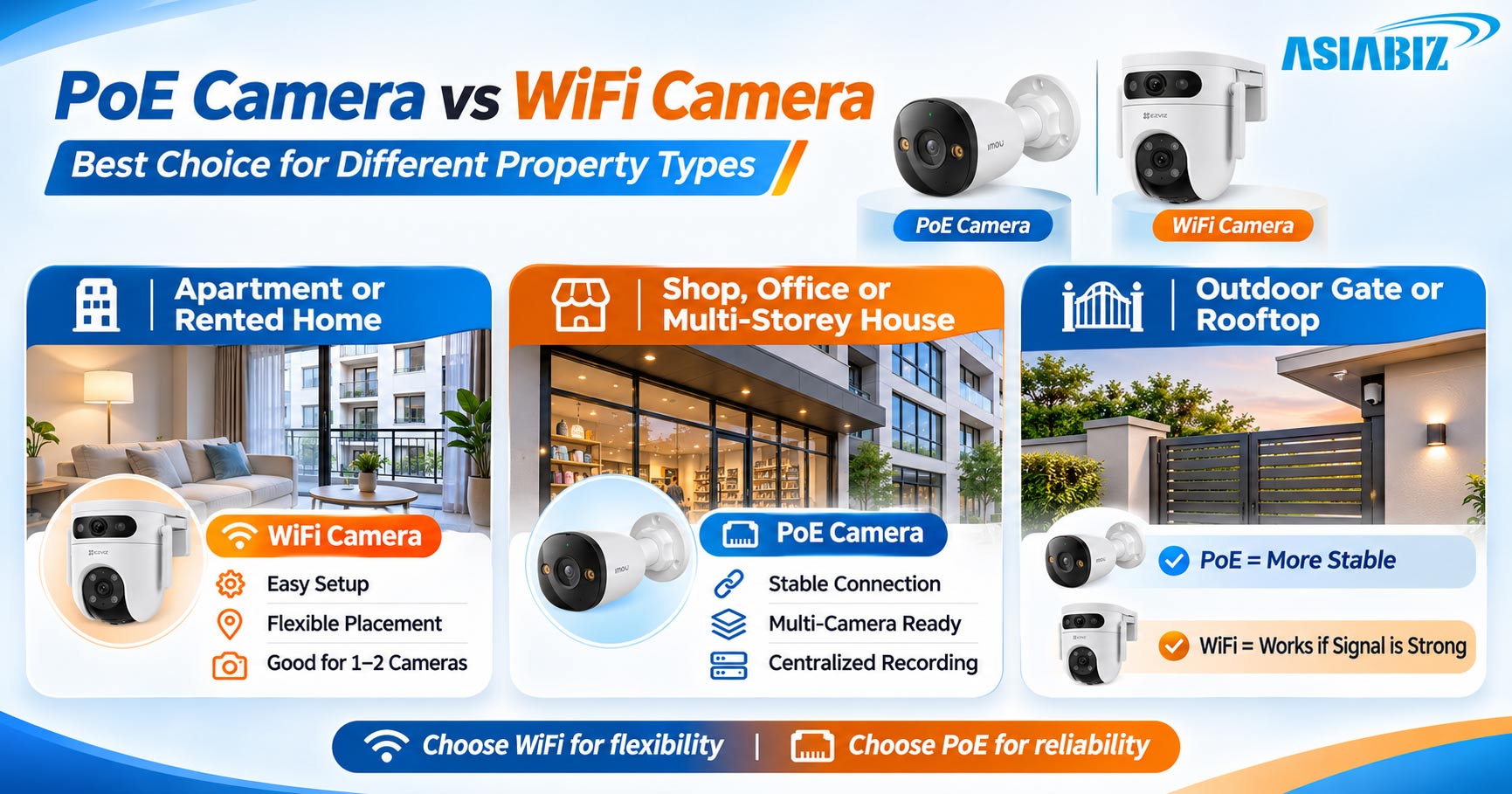
Which Should You Choose for Your Property?
Apartment or Rented Home
For monitoring one living room, child’s room, or
entrance, a WiFi camera is often convenient. Confirm router coverage and
mounting permission.
Shop, Office, or Multi-Storey House
Where multiple cameras monitor entrances, stairs,
counters, and parking areas, PoE is usually worth considering for stable
connectivity and organized central recording.
Outdoor Gate or Rooftop
PoE is attractive when cable can be safely routed.
WiFi remains an option if signal strength, weather protection, and power access
are adequate.
Relevant Camera Options at Asiabiz
Dahua IPC-HFW2449M-S-B-PRO 4MP WizColor PoE BulletCamera:
A wired outdoor-oriented option with PoE, WizColor low-light imaging,
and intelligent detection features.
DahuaIPC-HDW1439T1-A-IL 4MP PoE Dome Camera: Suitable for entrances and covered
areas, with dual-light night viewing and PoE support.
Imou Ranger2 Pro 5MP WiFi Camera: An indoor WiFi choice offering pan-and-tilt
monitoring, two-way audio, and human/pet detection.
Browse PoE IP cameras and WiFi cameras. Confirm
current specifications and prices.
Frequently Asked Questions
Q: Does a PoE camera need WiFi or internet?
A: No
WiFi is needed for a PoE Ethernet connection. Local recording can work without
internet if the equipment supports it; remote viewing normally requires
internet access.
Q: Is PoE camera quality better than WiFi?
A: Not
inherently. Image clarity depends on sensor, lens, lighting, resolution,
compression, and installation. PoE primarily improves network and power
delivery.
Q: Can a WiFi camera record 24/7?
A: Some
mains-powered models can, using compatible microSD or NVR storage. Battery
cameras commonly use event recording. Always check the specific model.
Q: Can I connect a PoE camera directly to an NVR?
A: Yes,
when the NVR has compatible PoE ports and supports the camera. Otherwise, a
suitable PoE switch or injector and network setup may be required.
Q: Which system is cheaper for four cameras?
A: There
is no universal winner. Compare total camera, recorder, cable, power, storage,
installation, and maintenance costs for the specific property.
Final Verdict: PoE or WiFi Camera?
Choose PoE for permanent coverage, multiple
cameras, and centralized power and recording. Choose WiFi for smaller
installations where flexible placement and strong wireless connectivity make
setup easier.
For home, shop, and office security in Bangladesh,
the best system is the one that stays powered, records reliably, and covers the
right areas. Explore options at Asiabiz Technology before choosing your setup.


Comments
There are no comments for this Article.